
Navigating the Employee Portal
Login to your employee portal at www.partnersolutionsportal.com or use the App on your mobile device. If you are accessing the app for the first time, you will need to follow the instructions below:
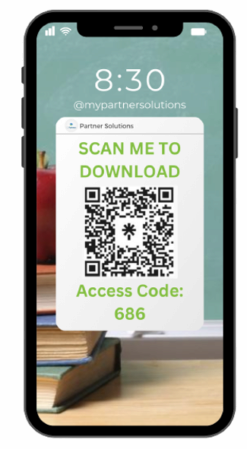
- Download the app from your preferred app provider on your mobile device. Do this by searching PrismHR or scanning the QR Code displayed on the left.
- Once the app is downloaded, enter access code: 686
- Login using your username and password
Once you are logged into your employee portal, you will notice several helpful areas of navigation in the left-hand menu. On your home page, you will find widgets with links to benefit websites/information, the time clock or time card if it is applicable to your position, and shortcuts to other areas of the portal.
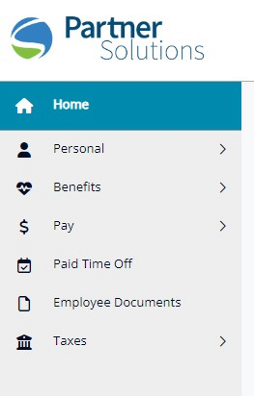
Navigate through the tabs on the left-hand menu to review and update the following items if needed:
- Personal Contact Information (Personal Tab)
- Emergency Contact Information (Personal Tab)
- Pay Stubs (Pay Tab)
- Employee Handbook and Benefit Guide (Employee Documents Tab)
- Federal, State, and City Tax Withholdings (Taxes Tab)
If you need any assistance with accessing items in your employee portal or updating information, please contact your Human Resources Coordinator. Their contact information is listed on the home page of your portal. If you have trouble logging into your portal, please call the office at (810) 229-5145 or email the Human Resources department at hr@mypartnersolutions.com.
